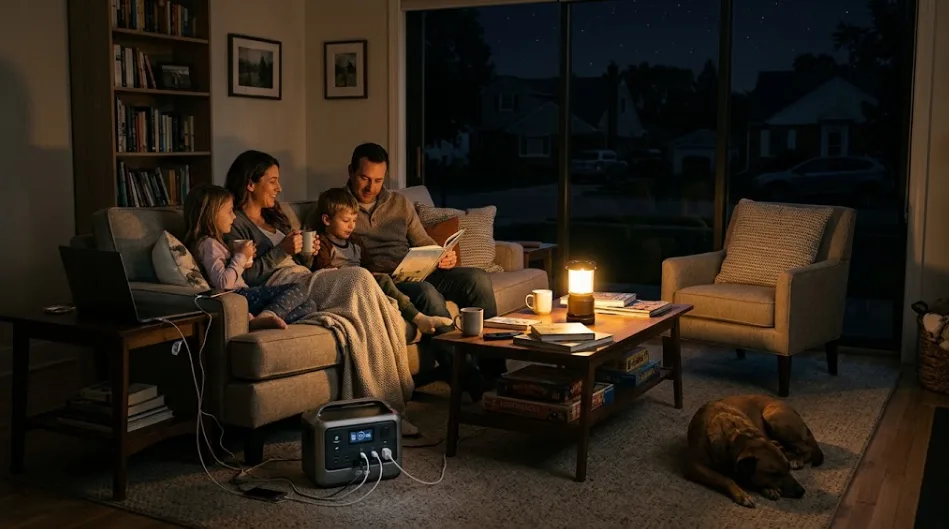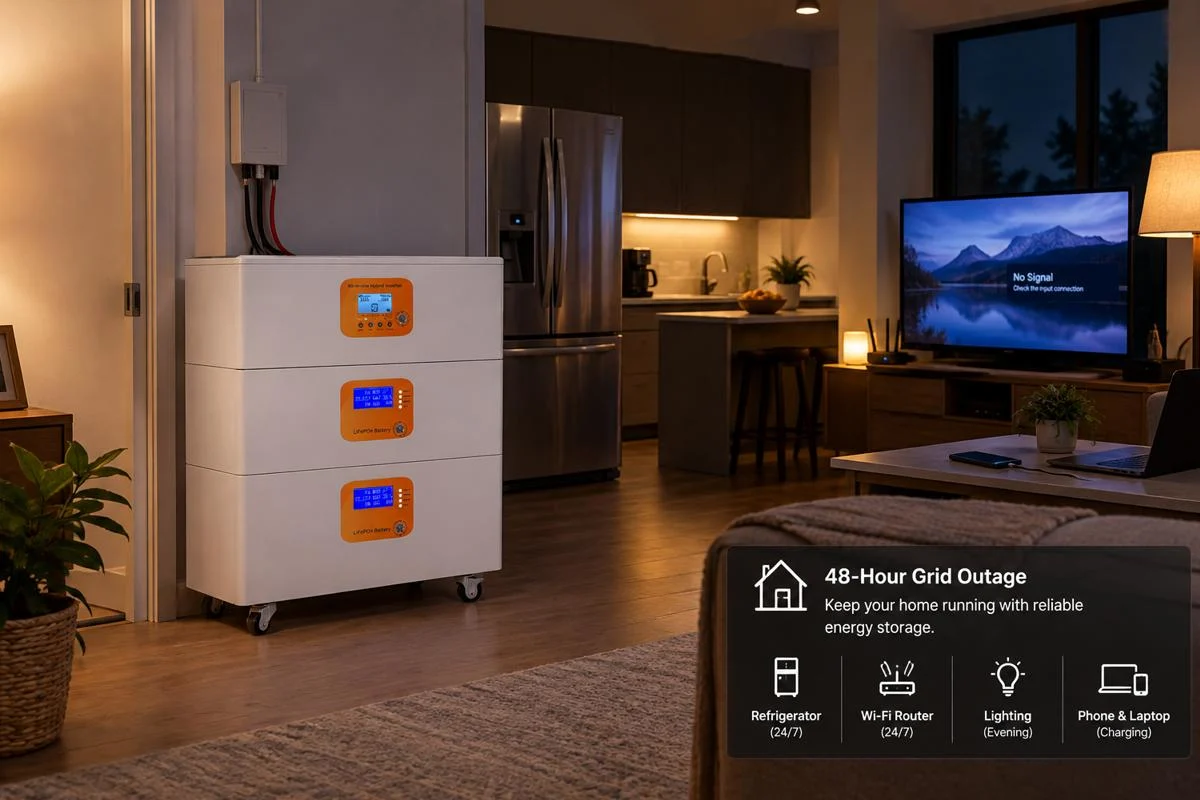

After a heavy rainstorm, the power still hasn’t come back on, and the storage battery installed at home has also run out of charge. A lot of people assume that when a solar system’s battery runs flat, it’ll just recharge the next day when the sun comes up — but the reality is rarely that simple.
What Happens When Your Solar Battery Hits 0%?
When the battery shows 0%, in most cases it doesn’t actually mean it’s completely dead. Generally speaking, solar systems and batteries are connected together, and as long as there’s sunlight, the battery shouldn’t be empty — so many people instinctively think something must be broken when they see this. I’ve read quite a few articles on this topic, and while they talk a lot about outages, capacity, and backup time, very few actually explain this clearly.
So let me say this first: don’t panic. Showing 0% is often just the system hitting its protection threshold — it doesn’t mean the battery is truly damaged.
And there are a few other possible scenarios:
- 1. Even though it shows 0%, the battery actually still has a reserved protection buffer inside. Under normal circumstances, manufacturers deliberately set aside a portion of capacity that can’t be used for daily operation — this is to protect the cells, keep the controller and communication running, and retain enough energy for the next wake-up from solar. They don’t allow the cells to be fully drained during regular use.
- 2. For most energy storage systems or hybrid PV systems with batteries, the behavior when the battery is empty differs completely depending on the status of the external grid.
If the utility grid is still working, it’s not a huge problem. Even though the battery shows 0%, the inverter can still draw power from the grid to supply household devices normally. As for the battery itself, because it’s out of power, its BMS will automatically adjust and enter a protection state, keeping the last bit of energy for the cells, and once power becomes available again, the system will recharge itself.
But if the grid is down, that’s more troublesome. When there’s no utility power, you’re relying on the battery to keep the household running. Now the battery shows 0% and the BMS has cut off its output, so the system can’t establish an independent power supply — meaning your home will be without electricity. You might think, “Can’t I just use the solar panels to power the house directly?” That won’t work. When the grid is out, a hybrid inverter needs the battery to provide an initial DC voltage to start up in off-grid mode. But because the battery’s output has been disconnected by the BMS to protect the cells, the inverter loses its startup condition — even if the solar panels are generating power, the inverter can’t turn on. And for a pure grid-tied system, it’s even worse: during an outage, it will immediately trigger its anti-islanding protection and shut down, with no off-grid capability at all.
- 3. Another situation: during a blackout, you’ve been running high-load appliances like refrigerators, air conditioners, or microwaves continuously, drawing a lot of power, and the battery level keeps dropping. When it falls to the manufacturer’s protection threshold, the system will actively cut power to those appliances — that’s low-battery protection. After that cutoff, you might also see 0% on the app. At that point, you just need to temporarily turn off high-power devices, wait until the battery has a little charge built up, and then you can use them again.
How Solar Battery Backup Systems Work During an Outage
When an outage happens, you might wonder what your solar system is actually doing. In reality, different systems respond very differently.
The difference between three main system types
Pure grid-tied system: This is the most common older-style PV system. It only has solar panels and a grid-tied inverter, with no battery for storage. So once the grid goes down, the inverter detects the loss of power and shuts itself off within milliseconds for safety reasons. In this case, even if sunlight is strong outside, your home won’t have electricity.
Pure off-grid system: A pure off-grid system consists of solar panels, a battery controller, batteries, and an off-grid inverter. It’s completely independent from the utility grid. When the solar panels generate excess power, it doesn’t go to the grid — it’s stored in the batteries. Then at night or during a power outage, you can continue using the battery power. A grid outage has no impact at all — you can still live normally, cook, and use electricity as usual.
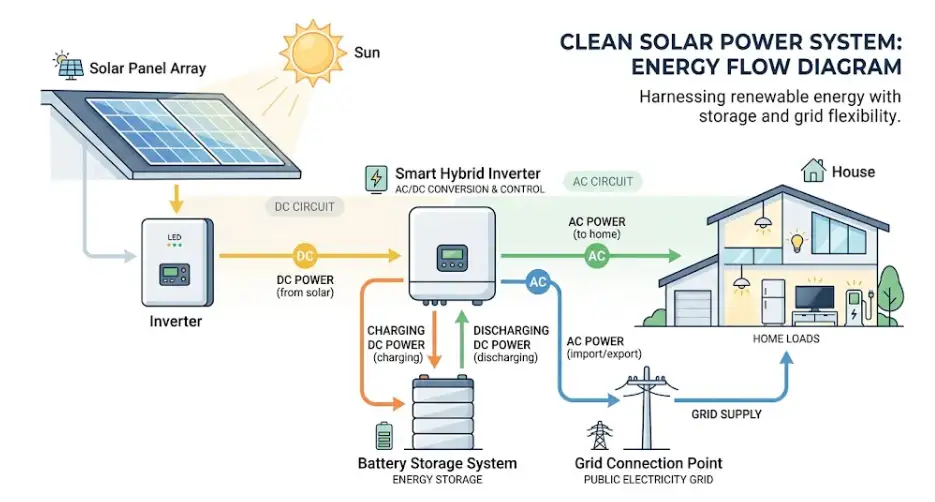
Hybrid energy storage system: A hybrid system is mainly composed of solar panels, batteries, and a hybrid inverter. It can both feed excess power to the grid and store it in the batteries for home use. When an outage occurs, the storage system can disconnect from the grid within 10 milliseconds or faster, switch to off-grid mode, and continue supplying critical devices like refrigerators, lights, and computers using battery and solar power.
Why can’t solar panels directly power the house during an outage, even when the sun is shining?
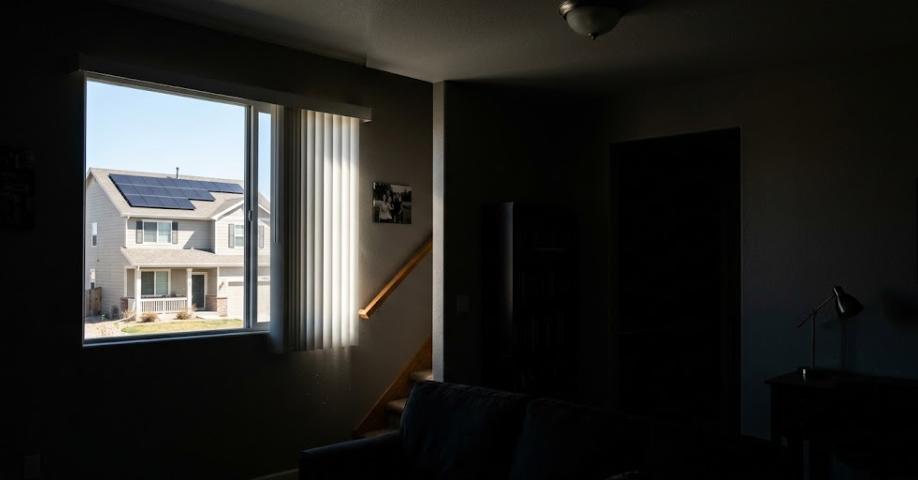
We touched on this earlier. It’s because safety regulations — like the anti-islanding protection and rapid shutdown requirements in the NEC — mandate it.
When there’s a fault or maintenance work on the grid, to prevent repair workers from being shocked by electricity being back-fed from a household selling power to the grid, regulations require that inverters must continuously detect the grid’s voltage and frequency signals. The inverter is only allowed to output power if those signals are normal. That’s why when the grid loses power and the signal disappears, the inverter shuts down.
Of course, not all systems are unusable during an outage. Only hybrid systems with storage batteries and an intelligent transfer switch can keep running. The smart switch immediately disconnects your home from the external grid when the grid fails, so your power doesn’t flow back out, ensuring safety. After disconnection, the system becomes a small independent power loop. At this point, the battery still needs to provide a base voltage before the inverter can start and supply the home. But if the battery is also dead, then both the solar panels and the inverter are forced to stay idle.
About your electricity bill
After all that talk about whether you’ll have power, let’s address a more practical concern. Many people worry: if the battery runs out and I start drawing from the grid again, will the cost be sky-high? Rest assured, it won’t. In regions that support net metering, a hybrid system’s operation after the battery is depleted is automatic and transparent. Drawing from the grid at that point is billed at the standard local residential rate, with no punitive surcharges.
And when power is restored and the weather is clear enough for the solar panels to work, the system allocates power by priority: first to meet home loads, then to recharge the battery, and finally to feed any excess back to the grid. That exported energy accumulates credits under net metering rules, which offset the costs from the power you drew during the battery-depleted period. So a dead battery simply puts the household temporarily into a “pure grid consumption” mode instead of the “self-generation + storage” priority mode. The whole process incurs no extra charges and doesn’t affect your rights to offset future exports.
Will Your Solar Battery Recharge Automatically When the Sun Comes Up?
If the battery just made it through the night during an outage, will the system recharge itself come daytime, or do you need to manually flip a switch? This is a question we often get from after-sales users of storage systems.
In most cases, you don’t need to do anything — the system will recover and recharge on its own. But there are exceptions.
Normally, modern solar storage systems are smart and well-designed, with built-in black-start functionality for extreme scenarios. A black start is essentially a self-recovery routine: in the worst-case “double black” situation where the grid is completely down and the battery is fully drained, the system can use the faint light on the solar panels to wake itself up and restart. When sunlight hits the panels, the small amount of DC power generated bypasses the complex AC circuitry and preferentially wakes up the inverter’s control board, which is in sleep mode. Once the inverter is activated, it starts converting solar energy into a weak current to recharge the completely dead battery. When the battery level returns to a safe threshold, the system automatically resumes off-grid power to the home’s critical circuits. No human intervention is needed.
However, if the sun is already high and has been shining for a while, but your solar system still shows no sign of life, it’s likely due to one of these reasons:
- The solar panels’ output voltage hasn’t reached the inverter’s startup threshold. What looks like bright, glaring sunlight to our eyes doesn’t always translate to sufficient effective voltage for the panels. So even if the morning sun feels intense, the actual voltage from the PV array may still be below the minimum required for the inverter to start, keeping it in sleep mode.
- The BMS has triggered a low-voltage lockout. If the battery was drained too deeply the night before, the battery management system, to protect the cells from damage, may enter an extremely strict low-voltage lock. In this state, the BMS completely disconnects the battery circuit, so the inverter can’t detect the battery at all and won’t initiate the charging sequence.
- High-power loads are causing current surges. If appliances like air conditioners, refrigerators, or other high-wattage devices were left on during the outage, then when the inverter tries to start up with very weak power in the morning, the massive inrush current from those devices can immediately trigger the inverter’s overload protection, causing the system to shut down again just as it was about to wake up.
Even if you run into these more complicated situations, don’t panic. Now that we know the causes, solving the problem becomes much simpler.
How to Reset and Revive a Dead Solar Battery
We’ve already analyzed so many possible reasons why the battery might be dead. When your storage system isn’t running despite sunlight and won’t wake up automatically, don’t rush to conclusions. In most cases, the battery itself is probably not damaged — it’s just that the BMS has triggered a low-voltage protection lock. As long as you carefully follow these 4 standard manual steps for a safe restart, you can wake up the battery and get the system back online by yourself, safely.
- Step 1: First, disconnect all high-power loads
Many people’s first reaction is to restart the system directly. But if you get this step wrong, it’s easy for the system to trip again right after startup. The best move, before touching any switches or breakers, is to go to the distribution panel and turn off all breakers for high-power appliances like air conditioners, electric water heaters, heat pumps, water pumps, space heaters, etc. — or simply unplug them. As we mentioned earlier, when the battery wakes up from 0%, it can only provide a very weak initial output. If high-power devices are still connected to the circuit, the moment the system tries to start, those devices will draw a huge surge current, which instantly pulls down the voltage you just built up, triggering the inverter’s overload protection or a secondary BMS lock.
- Step 2: Observe the indicator lights on the inverter and battery
After disconnecting loads, don’t start blindly fiddling. Go to the inverter and battery cabinet and carefully check the LED indicators or the information on the LCD screen. This step is to distinguish between “ordinary low-voltage sleep” and “actual hardware failure.”
Normally, if you see the indicators completely off, or only a red or yellow light flashing slowly, and the screen shows something like “Low Battery” or “UVP” (low-voltage protection), that means the hardware is fine and you can safely proceed to the next step. However, if the screen shows a specific error code — like Error 04, BMS Disconnected, or Cell Invalid — that suggests a possible communication failure or cell abnormality. In that case, don’t keep restarting over and over. Take a photo for reference and contact the manufacturer’s technical support.
- Step 3: Hard reset — shut down and restart in the correct order
This is the most critical step in the whole process, and the sequence must not be reversed. The core principle is: when shutting down, go from outside to inside; when starting up, go from inside to outside. If you do it in the wrong order, you might not only fail to restart but also risk damaging the inverter’s internal capacitors and BMS control board due to high-voltage DC arcs or voltage spikes.
Here’s the specific procedure:
1. First, turn off the AC breaker to disconnect the home loads and the grid. Then turn off the PV input, then turn off the inverter, and finally turn off the battery’s main switch.
2. Wait about 5 minutes to let the system fully discharge any residual internal charge.
3. Then reverse the order:
Turn on the battery first, to establish base voltage → then turn on the inverter → then reconnect the PV input → and finally restore the AC supply.
After completing these steps, it’s best to wait another 5 minutes or so before entering the startup phase. Those 5 minutes allow the inverter’s large internal capacitors to fully discharge and also clear any error states temporarily stored in the BMS, ensuring that the system re-initializes with a clean slate when power is reapplied.
- Step 4: Allow a dedicated window for solar charging
After the restart is complete, don’t rush to use electricity or turn on any appliances. Let the storage system run idle without load for 1 to 2 hours. During this time, every watt of solar output goes entirely to recharging the battery until the displayed level climbs back to a safe range of 5% to 10%. Because right after startup, the battery’s terminal voltage is still unstable. If you plug in a high-power load too soon, the voltage can easily drop back below the protection threshold, causing the system to trip again. If you turn on high-power devices right away, you’re very likely to trigger protection once more, making all your previous effort pointless. Only after the BMS confirms that the low-voltage lock is fully cleared and the battery has enough stored energy can you safely resume normal household power usage.
How to Prevent Your Solar Battery from Running Out Too Quickly
1. Start by listing critical loads — don’t assume the whole house should run as usual. Refrigerators, lights, routers, phone chargers, and essential medical devices are not in the same league as air conditioners, water heaters, dryers, ovens, or pool pumps. You need to make trade-offs at critical moments to extend battery runtime.
2. Reasonably adjust the reserved capacity ratio. I’ve encountered many customers who, in order to maximize their electricity bill savings in daily use, set the battery’s depth of discharge to 100%. But this can backfire, causing unexpected depletion and also shortening the battery’s lifespan. It’s better to set the outage reserve level to 10%–20%. On one hand, that effectively prevents the battery from entering low-voltage shutdown due to over-discharge. On the other hand, even if solar input is insufficient next time, that reserved capacity can provide the base voltage needed for the inverter to perform a black start.
3. Perform regular maintenance and keep firmware updated. Beyond software settings, the physical environment and system version also affect actual battery performance. For example, lithium batteries can suffer significant capacity degradation in extreme cold or heat, so make sure the battery is installed in a well-ventilated area, out of direct sunlight, or with basic insulation. Also, manufacturers periodically release firmware updates for both the BMS and the inverter, often including optimizations for low-voltage protection algorithms and black-start wake-up logic. Keeping your app and firmware up to date can help you avoid many unnecessary shutdowns caused by older software versions.