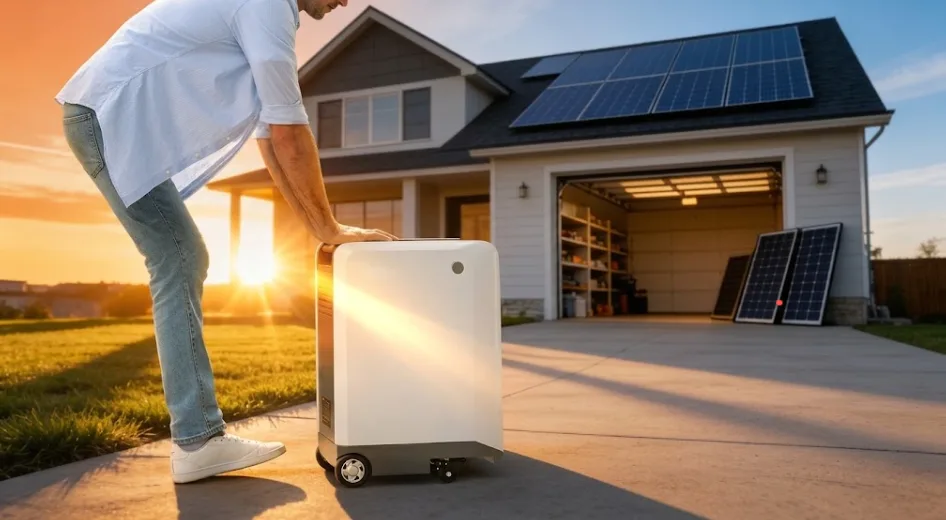

One day, while having dinner with my colleagues, we started discussing the appliance that customers most frequently want to keep powered after years of working in the energy storage industry. The answer surprised us: it was the router.
Every time a customer asked me this question, I would carefully calculate battery capacity and estimate router power consumption for them. But later, a senior colleague pointed out that the real meaning behind this question was actually: as long as the internet stays connected, a power outage doesn’t feel nearly as difficult to handle.
A router is often a more sensitive power outage detector than a refrigerator. When the lights go out, you may not panic immediately, but once the WiFi connection drops, it can feel like you’ve suddenly lost contact with the outside world.
So how long can a router actually keep running? It depends on what kind of backup power solution you use. A small UPS may keep it running for a few hours, while a portable power station could potentially keep it powered for a day or even longer. Different solutions are designed for different needs and budgets.
This guide breaks down the available options: how much electricity a router uses in a day, how long different backup power solutions can keep it running, and which option is the right choice for your home.
How Much Electricity Does a WiFi Router Use in 24 Hours?
A typical home Wi-Fi router consumes approximately 0.1 kWh to 0.3 kWh of electricity over a 24-hour period.
Most household routers operate within a power range of 5W to 20W. Assuming the router runs continuously for 24 hours a day, the energy consumption can be estimated using the following formula:
Energy Consumption (Wh) = Power (W) × Operating Time (hours)
| Router Power | Energy Consumption Over 24 Hours |
| 5W (Low Power) | 120Wh |
| 10W (Average) | 240Wh |
| 15W (High Performance) | 360Wh |
| 20W (Ultra High Performance) | 480Wh |
Converted into a 24-hour period, a router with an average power consumption of 10W uses approximately 0.24 kWh of electricity per day, or about 88 kWh per year.
This amount is even lower than the standby power consumption of many smart speakers or set-top boxes.
Do Routers Have Battery Backup?
Generally speaking, most routers do not come with built-in backup batteries.
Most home routers are designed to stay plugged in and operate continuously, without a built-in high-capacity battery. While some industrial-grade routers from companies like Cisco and certain enterprise networking devices support dedicated backup battery units (BBUs), which can provide emergency power for up to 8 hours, these solutions are not common in typical households.
A few exceptions are certain carrier-customized devices. For example, some Netgear cable modem routers offer optional battery accessories that can provide approximately 5 hours of voice service and 8 hours of standby time during a power outage.
In 2026, Spectrum introduced a new router called “Invincible Wi-Fi,” which comes with a built-in battery that can keep the router running for up to 8 hours during an outage. It also integrates 5G cellular backup. Even if the incoming fiber or coaxial cable connection is interrupted, the device can automatically switch to a 5G network and continue providing internet access. Another telecommunications provider, Jola, has also released 4G battery backup routers designed for business users.
Compared with purchasing a separate UPS (Uninterruptible Power Supply) or relying on a 5G mobile hotspot, this integrated solution is much more convenient because it works automatically out of the box. However, at the end of the day, it only keeps your internet connection running and cannot provide power for appliances like refrigerators or other household devices.
How Long Will Different Battery Backup Solutions Run a WiFi Router?
The answer mainly depends on two factors: your router’s actual power consumption and the capacity of the backup power source you use.
As mentioned earlier, most routers consume between 5W and 20W. If you want to calculate the runtime more accurately, you can check your router’s specifications or contact the manufacturer’s customer support. In the following examples, we’ll use a 20W router as the reference.
To figure out exactly how long a backup solution can keep your router running, it’s important to understand the difference between two key concepts: VA and Wh.
Many people look at VA (volt-amperes) when buying a UPS or portable power station and assume it represents battery capacity. However, that is not the case. Confusing these two numbers can lead to choosing the wrong device.
VA vs Wh
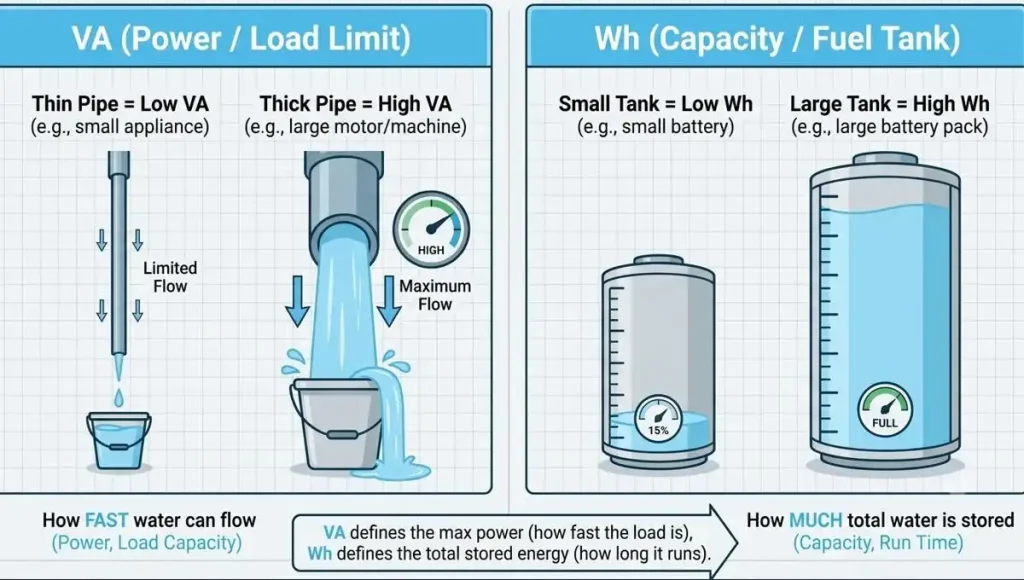
VA measures apparent power, which can be understood as how much load power a device can handle. It answers the question of whether the device can run the load, not how long it can operate.
Wh measures the total amount of energy stored in the battery, or how large the “fuel tank” is. It answers the question of how long the device can run.
The difference between them can be summarized in one sentence:
Power determines whether a device can start and operate, while capacity determines how long it can run.
From this, you can see that VA and W serve similar purposes. The conversion between the two depends on a parameter called Power Factor (PF):
Watts (W) = VA × Power Factor
This value is usually between 0 and 1. Modern devices such as routers and computers typically have a power factor above 0.9, while some older equipment or appliances with motors may have a power factor around 0.7.
VA and Wh are not the same thing. A 1500VA UPS rating indicates the maximum load power it can support, but the battery inside may only have a capacity of 216Wh.
A 216Wh battery powering a 20W router could theoretically provide:
216Wh ÷ 20W = 10.8 hours
However, this is only a theoretical calculation. In real-world use, the actual runtime will be shorter due to factors such as inverter efficiency, battery conversion losses, and the UPS’s own power consumption.
Therefore, when calculating runtime, we can use the following formula:
Runtime (hours) = Battery Capacity (Wh) × 0.85 ÷ Device Power (W)
For example, a 500Wh portable power station powering a 20W router would theoretically provide 25 hours of runtime.
However, in real-world use, the actual runtime will be lower due to conversion losses from the inverter and other factors. Assuming an overall efficiency of around 70% to 80%, the practical runtime would be approximately:
500Wh × 0.85 ÷ 20W = 21.2 hours
How Long Will a UPS Run a WiFi Router?
A UPS’s capacity has two dimensions: VA determines whether it can support the load, while Wh determines how long it can run.
A typical small home UPS may be rated at around 1500VA, but its actual load capacity is usually around 900W. For a 20W router, this is more than enough.
However, the key factor is the battery capacity. Even two UPS units with the same 1500VA rating may have very different battery capacities. For example, a UPS with a built-in battery of 12V × 9Ah = 108Wh could theoretically power a 20W router for about 5.4 hours. After accounting for inverter efficiency losses and the UPS’s own power consumption, the actual runtime may be closer to 3–4 hours.
If you use a pure sine wave UPS with a larger battery capacity, the runtime can be much longer. Some rack-mounted UPS systems that support external battery packs can provide backup power for several hours or even more than ten hours. However, these solutions are generally beyond the needs of typical residential users.
How Long Will a Portable Power Station Run a WiFi Router?
Portable power stations are much more straightforward in this regard because they are essentially a large battery combined with an inverter. Their capacity is directly displayed in Wh, making runtime calculations much easier.
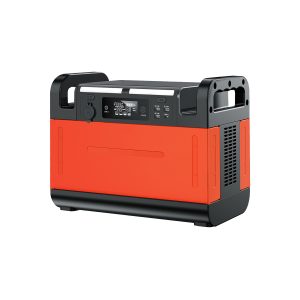
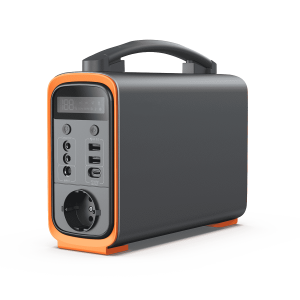
The following table uses several Piforz portable power station models as examples for reference.
| Portable Power Station Capacity | Router Power | Theoretical Runtime | Actual Runtime (Estimated at 85% Efficiency) | What It Can Do |
| 240Wh | 20W | 12 hours | 10 hours | Covers a workday; sufficient but with limited backup time |
| 307Wh | 20W | 15.4 hours | 13 hours | Lasts until the next morning; enough for an overnight outage |
| 518Wh | 20W | 25.9 hours | 22 hours | Provides a full day of backup and can also charge phones |
| 1210Wh | 20W | 60.5 hours | 51 hours | Lasts more than two days; no need to worry about router power during long outages |
The reason portable power stations can provide much longer runtimes than similarly priced UPS units is that they simply store much more energy.
A UPS is primarily designed to keep devices running for a short period during a power outage, allowing you enough time to safely shut down equipment or maintain temporary operation. A portable power station, on the other hand, is designed to provide power in places without electricity and support normal usage for extended periods.
The two products are built with completely different purposes and design philosophies.
UPS vs Portable Power Station: Which Is Better for Router Backup?
If your only goal is to keep your internet running during a power outage, a portable power station is usually the better choice.
However, if you also need to protect computers, NAS systems, or devices that cannot tolerate even a fraction-of-a-second power interruption, then you need a UPS.
The two types of devices serve completely different purposes, and understanding this difference is more important than simply comparing specifications.
A UPS (Uninterruptible Power Supply) is designed to bridge the short gap between a power outage and backup power coming online. It is not designed to keep devices running for several hours. Its built-in battery is usually only around a few hundred watt-hours or less, providing just enough time to save your work, shut down properly, or keep critical equipment running briefly.
A portable power station is designed to provide electricity in places without grid power or maintain normal power usage during an outage. It typically contains a battery ranging from several hundred to thousands of watt-hours, with the goal of providing power for hours or even an entire day.
Why do router backup solutions often fall between these two options? Because routers have two different requirements:
- Low power consumption (10W–20W): Almost any portable power station can easily run a router for a day.
- High sensitivity to power interruptions: After losing power, a router usually needs one or two minutes to restart and reconnect.
In other words, a portable power station provides long runtime, but during the transition from grid power to battery power, there may be a brief interruption, causing the router to restart. A UPS can provide zero-millisecond switching, but its runtime is usually too short to handle a long outage.
If your home has devices such as NAS systems, computers, or security camera systems, a UPS should be your priority to protect them.
If your main goal is simply to keep browsing on your phone and maintain internet access during a power outage, a portable power station is the better choice for your router.
These two solutions solve different problems.
| Scenario | Recommendation | Reason |
| Keep internet running, browse on your phone, or handle light work during a power outage | Portable power station (500Wh or above) | Provides hours of backup runtime, enough to cover most common outages |
| Home or office with NAS, computers, or important data equipment | UPS (1000VA or above) | Provides instant switching to keep equipment running and allows safe shutdown when needed |
| Power outage lasting half a day or longer, while also powering other small devices | Portable power station | A 1000Wh+ unit can run a router, small fan, and charge phones at the same time |
| Router power loss of even one second could interrupt device operation | UPS + Portable power station combination | The UPS handles seamless switching, while the portable power station provides extended runtime — combining the advantages of both |
| Want one device to handle all backup power needs | High-performance portable power station with UPS function | Some models on the market now combine zero-millisecond switching with large battery capacity |
How to Choose the Right Battery Backup for Your WiFi Router?
You can choose the right backup solution based on how long you need to keep your router running after a power outage:
- Need only 10–15 minutes of backup: A regular UPS is enough.
Its purpose is to give you enough time to save your work, shut down devices properly, or wait for a generator to start. - Need backup for several hours: Choose a small portable power station (such as 200Wh or 300Wh).
For example, during a half-day outage, it can keep your router running continuously while allowing your phone to stay connected to WiFi. - Need backup for a full day or longer: Go with a larger-capacity portable power station (1000Wh or above).
If you also need to power devices like a refrigerator or fan, only a high-capacity unit can meet the demand.
To summarize the choice simply:
The length of the power outage determines which solution you need.
A UPS solves the problem of whether your devices can shut down safely. It is designed for short-term backup and temporary protection. A portable power station solves the problem of continuing to use electricity during an outage, with runtime measured in hours or even days.
First, understand your actual needs. Then calculate the required capacity using the runtime formula, and finally compare your budget.
Following this order will help you avoid buying the wrong product. After all, as long as the signal stays strong, a power outage doesn’t have to be so difficult.