
In these five years of tinkering with solar UPS systems, I’ve gone from a complete layman to a researcher who can read circuit diagrams, assemble systems, and know how to choose the right models,Today I want to chat with you all about solar UPS systems.I will walk you through what a solar UPS is—covering its components and operating principles—and, drawing on my own testing experience, share insights on costs and key considerations.
“Learn about what a solar UPS system is, its components, and its working principle.”
What is a solar UPS system?
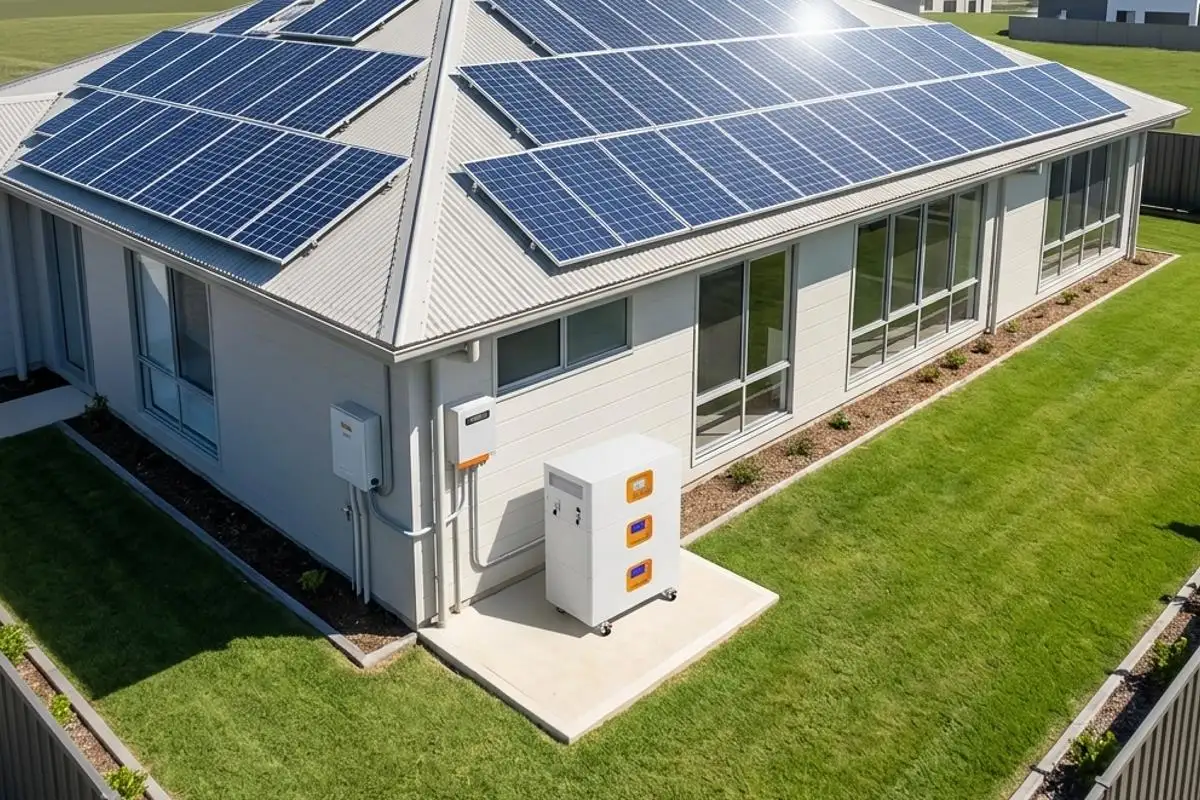
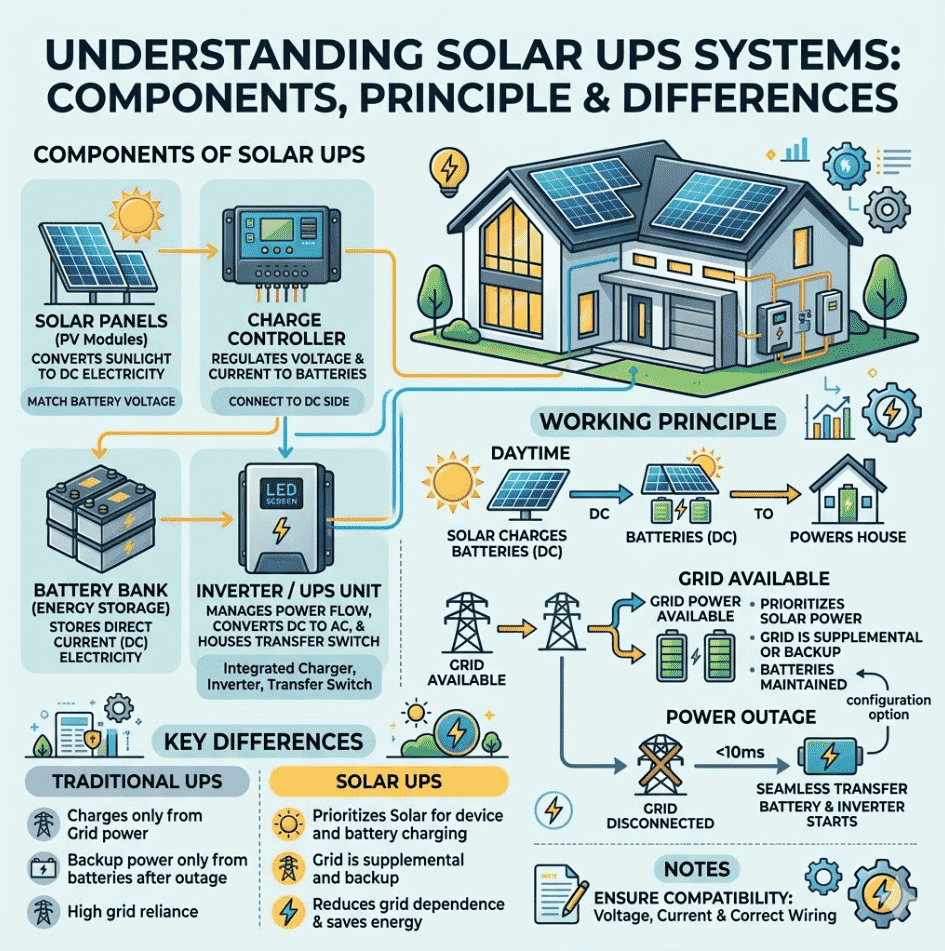
Many of you are probably already familiar with solar power systems and UPS (uninterruptible power supply) units. A solar UPS is simply a power supply system that combines a solar power system with a UPS. It can switch to solar and battery power in milliseconds to keep your home appliances running when the grid goes down. When utility power is available, it also helps you save energy by using solar power.
Components of a solar UPS
1. Solar panels: They convert sunlight into DC electricity. You need to calculate the UPS battery bank voltage and maximum charging current, then choose a charge controller that meets those requirements.
2. Charge controller: It regulates the voltage and current from the solar panels to charge the batteries safely. The key is to connect the UPS to the DC side of the solar charge controller, not the AC side.
3. Batteries: They store the DC electricity generated by the solar panels. A UPS is essentially a combination of battery, charger and inverter — most solar systems that include batteries already have these components.
4. Inverter: It converts DC from the batteries into AC for your household appliances. A UPS is a magic little box containing a battery, a battery charger, an inverter to turn battery power into grid-like AC, and a transfer switch between the inverter and the grid.
How a solar UPS works
1. During the day, the solar panels charge the UPS battery through a charge controller — without converting solar energy to AC first and then back to DC.
2. When utility power is available, the UPS can use either grid power or battery power depending on its configuration, while keeping the battery fully charged.
3. When a blackout occurs, the UPS seamlessly switches to battery power, providing uninterrupted electricity. “If the power fails, the inverter starts immediately (10 milliseconds).”
Important note: Make sure the UPS and the solar components (panels, charge controller) are compatible in voltage and current. “Always ensure the UPS is compatible with the voltage and current of your solar system, and that wiring is correct to avoid any damage or safety hazards.”
Difference from a traditional UPS
A traditional UPS only charges its battery from the grid. When the grid fails, it runs solely on battery power.
A solar UPS prioritizes using electricity generated by the solar panels to power devices and charge the battery, using the grid only as a supplement and backup, reducing reliance on the grid.
My real-world UPS reviews
Over the past while I’ve tested over a dozen units, from cheap CFL solar UPS devices to whole-house extreme systems. Now let me tell you about a few typical ones.EcoFlow RIVER 2 Pro vs. Bluetti AC180: Hands-on Comparison Chart:
| Comparison Dimension | EcoFlow RIVER 2 Pro | Bluetti AC180 | My Test & Usage Notes |
| Battery Capacity | 768 Wh (LiFePO₄) | 1152 Wh (LiFePO₄) | AC180 has 50% more capacity, offering longer backup time. |
| Rated AC Output | 800W (X-Boost can drive some resistive loads up to 1600W) | 1800W (Power Lifting can drive resistive loads up to 2700W) | AC180 can run a microwave and a gas furnace blower – clearly much stronger for high-power loads. |
| UPS Transfer Time (Oscilloscope measured) | 14–18 ms | ~20 ms | RIVER 2 Pro transfers faster. With a desktop PC, router, and 27″ monitor, it feels completely seamless – I evaluate it as “identical to an online UPS experience”. AC180 is slightly slower but still adequate. |
| Solar Uninterrupted Power Logic | PV charging while AC outputting; seamless takeover during outages, no interruption | Also supports passthrough charging, with efficient solar recharging | I especially praise the RIVER 2 Pro’s solar UPS logic. The network cabinet and surveillance cameras in my study run almost zero electricity cost during the day on a single 200W panel. |
| Emergency Solar Recharge Performance | — (Not tested for emergency recharge speed) | After a hurricane, charged from 30% to 80% in two days using a 200W solar panel | AC180’s ability to restore selfsufficiency via solar after a disaster is very strong – “traditional UPSs can’t do this”. |
| Typical Loads & RealWorld Use | Daily powers the study’s network cabinet and cameras – longterm lowload solar selfsufficiency | After a hurricane, powered a gas furnace blower and LED lights – carried critical loads | RIVER 2 Pro guards essential circuits without interruption; AC180 focuses on offgrid highpower emergency use. |
| Portability (Weight) | ~7.8 kg (17.2 lbs) | ~16 kg (35.3 lbs) | RIVER 2 Pro is light and ideal for a fixed setup; AC180 is heavy but that weight buys much more capacity. |
| Ideal Positioning (My Summary) | Pursue UPS transfer speed and stability, ultimate solar UPS experience | Value for money and absolute power, suitable for slightly larger appliances | Both can serve as a home mini solar UPS, protecting critical circuits. |
EcoFlow vs Bluetti
I tested the UPS mode of the EcoFlow RIVER 2 Pro: I captured the transfer time with an oscilloscope — between 14-18 ms. Running a desktop computer, router, and 27-inch monitor, it was completely unnoticeable, feeling just like an online UPS. Its solar input logic is great: the unit charges from solar while outputting AC, and seamlessly takes over during a blackout. I keep it in my study, powering the network cabinet and surveillance gear daily, and with a single 200 W solar panel during the day, the electricity cost is practically zero.
Bluetti AC180
The Bluetti AC180 is good too. I measured its switching speed at around 20 ms, a bit slower but still adequate. Its advantage is the capacity (1,152 Wh) and 1,800 W continuous output, enough to run a microwave. I once used an AC180 after a hurricane to power the gas furnace blower and LED lights. In two days, with only a solar backup source (one 200 W panel), it charged the battery from 30% back to 80%. This kind of independence with an emergency backup solar power system is something a traditional UPS simply cannot give you.
To sum up, if you need a solar UPS, EcoFlow has faster and more stable switching; Bluetti wins on value and sheer power. Both can serve as a home mini solar UPS to protect critical circuits.
Hybrid solar UPS
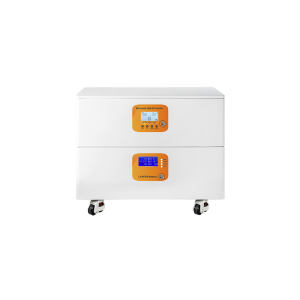
The advantage of a solar hybrid UPS like this is wide power coverage (1 kW to 6 kW) and freely expandable batteries. In my garage, I have a 5 kW hybrid solar UPS hooked up to four 12 V 200 Ah gel batteries. It runs the backyard well pump and tool shed — on sunny days, everything is powered by the solar UPS, and on cloudy or rainy days it automatically switches to grid power. The downside is a transfer time typically around 15-20 ms, which might affect old hard drives, plus the fan noise is fairly noticeable.
How much does a solar UPS cost?
The price range of a solar UPS is huge. I’ve seen them for $50 on Amazon, and I’ve also helped people plan systems costing over $40,000. Let’s talk about the real cost.
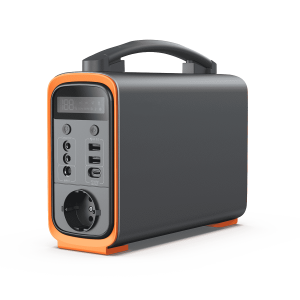
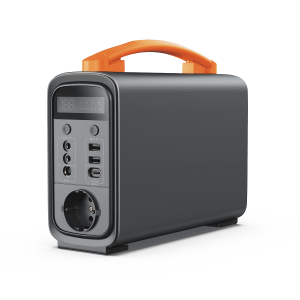
1. Solar mini UPS: A 500 Wh solar generator with MPPT (like the EB3A) plus a 100 W solar panel, around $400-600. This can keep your router and phone running all day during a blackout.
2. Mid-sized critical load system: A 2-3 kWh solar generator with 500 W of solar panels, budget $2,000-3,500. It can run a fridge, network gear, and lights. This is the best solar UPS for home use.
3. Whole-house stationary system: A 6 kW+ hybrid inverter + 10-20 kWh of LiFePO4 energy storage, plus installation and a smart distribution panel, generally runs $8,000-$20,000. For these, solar UPS installation labor can account for 20%-30% of the cost — make sure to hire a licensed electrician.
As consumers, we should compare “cost per usable kilowatt-hour” and “price per watt.” Be cautious with quotes that are too low — they often hide modified sine wave, inflated battery specs, or terrible after-sales support.
I’ve wasted plenty of money over the years. For example, my first lead-acid system died after two years; that solar UPS battery life was only 600 cycles. Later I switched to LiFePO4, with 3,500+ cycles, which is more cost-effective in the long run.
Things to watch out for when buying a solar UPS
Here I’ll share some mistakes I made myself.
1. At first I bought a UPS with a modified sine wave inverter — damn, it burned out my fan. So you must buy a solar UPS with pure sine wave output. Modified sine wave can damage AC motors and some power adapters. This is the one solar feature you absolutely cannot compromise on.
2. I set the battery depth of discharge incorrectly. If a lead-acid battery voltage is discharged below 10.5 V, it sulfates and dies quickly. I set a low-voltage disconnect at 11.5 V in the controller, and the solar UPS battery life returned to normal. Nowadays LiFePO4 solar UPS efficiency is much higher and nearly maintenance-free.
3. Non-compliant installation. A solar UPS installation must follow NEC code, especially battery cabling and overcurrent protection. Once I paralleled the wires myself, and an electrician friend came over, shook his head, and later we redid the wiring professionally. This is an expense you cannot skip — it affects insurance claims and personal safety.
Questions every homeowner cares about
Can the solar UPS transfer time really keep my computer from restarting?
In my testing, under the ATX power supply standard, a computer absolutely won’t restart if transfer is within 10 ms. My EcoFlow switches around 14 ms, and both a Dell and a custom desktop passed without issue. If your power supply has very little headroom or is old, I recommend choosing a unit with transfer within 20 ms.
Can I use ordinary solar panels to charge these UPS units?
Yes, as long as the voltage and connectors match. Most solar generators have a built-in MPPT and support wide voltage input from 12 V to 150 V. I’ve even used old used panels that others discarded — the efficiency is a bit lower, but they work fine, which is exactly the flexibility of a solar panel UPS (uninterruptible power supply).
Why do people remove solar panels?
This actually ties closely to the choice of a solar UPS. I’ve seen quite a few homeowners forced to remove panels because buyers wouldn’t accept a leased solar PPA contract during a home sale, or because they couldn’t afford the astronomical removal and reinstallation fees when the roof needed major repairs. But usually this isn’t a problem with the solar technology itself; it’s a problem with the installation approach. That’s exactly why I prefer modular solar UPS systems: I mount my solar panel UPS (uninterruptible power supply) system on a ground rack in the carport, not attached to the house. If I move, I take it with me, no roof penetration risk, and no need to deal with the power company’s rules. This kind of flexibility is something a fixed rooftop grid-tied system can’t give you.
Which UPS can provide 6 hours of backup power?
The answer depends entirely on your home’s “critical loads” — the core appliances you absolutely must run during an emergency. To calculate your needs, simply multiply the total wattage of your target appliances by the number of hours you need them to run, and factor in about 20% inverter efficiency loss.
We can budget based on the emergency energy needs of a standard American household for 6 hours:
| Appliance | Average Running Power | Total Energy over 6 Hours |
| Full-size refrigerator (Energy Star) | 150W (cycling on/off) | 900 Wh |
| Home router and modem | 20W | 120 Wh |
| Laptop and phone charging | 60W | 360 Wh |
| LED lighting (5 rooms) | 50W | 300 Wh |
| CPAP machine (medical device) | 60W | 360 Wh |
| Total energy required | 340W | 2,040 Wh (approx. 2.04 kWh) |
To comfortably get through a 6-hour blackout running these critical devices, you need a system with a base capacity of at least 2.5 kWh to 3 kWh.
If you’re considering a solar power bank or mini solar UPS, be sure to understand their limitations: these compact handheld devices are great for keeping your smartphone charged or your router online, but they absolutely cannot keep your refrigerator cold. For a true home emergency backup solar system, you must step up to a robust, expandable home battery unit. For more, follow piforz Energy Storage Systems.
Final thoughts
From my time using solar UPS systems, I want to tell you that energy self-reliance is a lifestyle you build. You don’t have to do it all at once. You can start slowly with one solar panel or add one solar power bank, protect your data and network first, and then gradually expand. Feel free to leave a comment, and I’ll give you my most honest advice, just like a friend.