
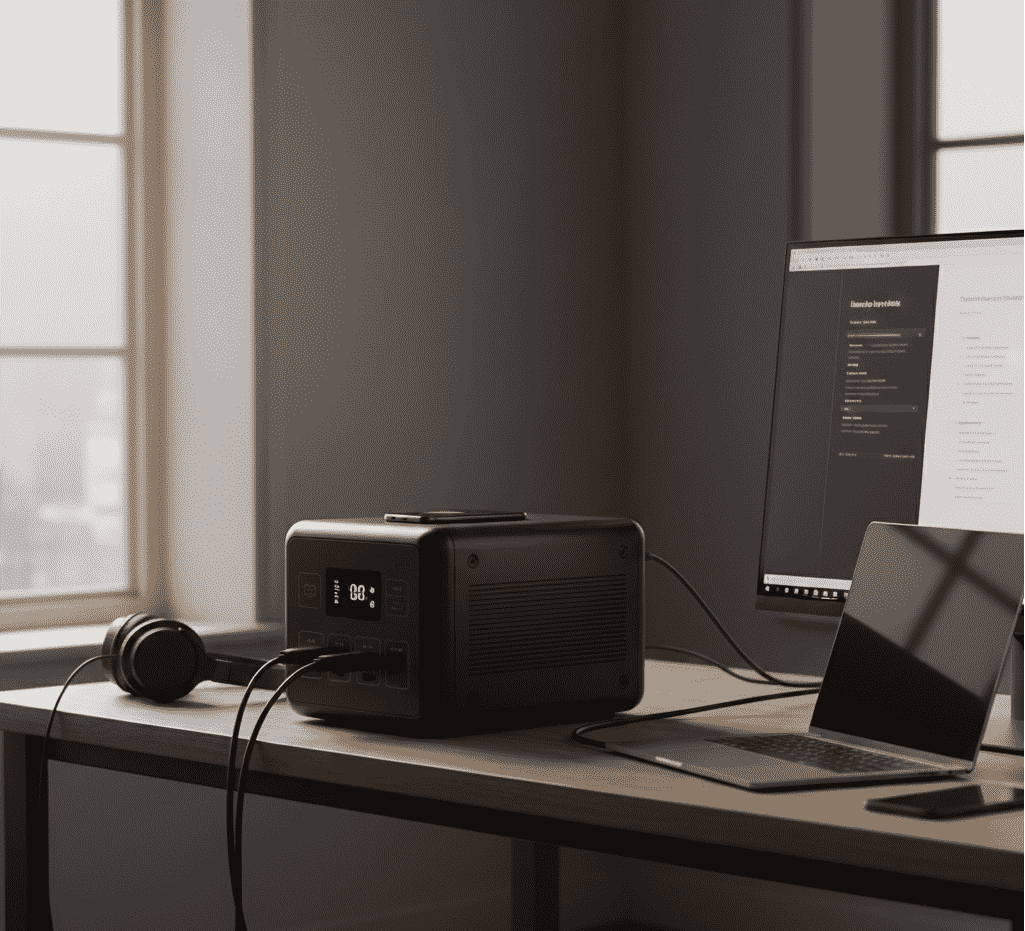
When Your Home Office Goes Dark, So Does Your Workday
Picture this: It’s 3 PM on a Friday. You’re in the middle of a video call with a big client, walking them through the most important part of your presentation. Then bam. Everything goes black. Your computer screen dies. The router lights shut off. You’ve vanished from the meeting, and the client is on the other end going, “Hello? You still there?” To make it worse, that document you’ve been editing for two hours? Yeah, you didn’t hit save.
This isn’t just some horror story. If you work remotely, you know that losing power means losing work. And losing work can mean losing money or looking bad in front of your boss or clients. The power grid is shaky, and there’s not much we can do about that.But here’s the thing: you don’t have to just sit there and hope for the best. Today we’re talking about portable power stations. Think of them as giant power banks – the kind you charge your phone with, but way bigger. These things can actually output 220V, just like the outlets in your wall. When the power cuts out, they step in instantly and keep your whole home office running. No more lost work. No more dropped calls.
Part 1: How Much Power Does Your Home Office Actually Need?
Lots of people see these power stations for the first time and ask, “Can this thing really run my computer?” Good question. Let’s break it down with some real numbers.
What Your Home Office Gear Actually Draw
Here’s what typical home office equipment uses:
Your Internet Connection(the most important stuff): Modem + router. These little boxes are easy to overlook, but without them, you’re not getting online even if you have power. Together, they only pull about 15W-30W. Super efficient.
Your Work Machines(where most of the power goes):
Laptops: Most lightweight ones use between 40W and 70W. The cool part? You can usually charge them right through a USB-C port.
Desktop + monitor: Now we’re talking real power. A typical desktop computer with a 27-inch monitor will draw somewhere between 200W and 350W. These need to plug into the AC outlet on your power station–the same kind of plug you use for stuff in your house.
Phones and Tablets:Charging these uses almost no power at all.
So here’s the bottom line: For most remote workers, all your essential gear combined will need less than 200W-300W. That means any power station rated above 300W will handle your whole home office setup with room to spare.
【Quick Tip】
Want to figure out exactly what you need? Check out [Power and Electrical Guide: How large a portable power station do you need?] Just put in your devices and it’ll show you how long different power stations will last.
Part 2: More Than Just Backup–Why Every Home
Office Needs One
A good power station isn’t just something you pull out when the lights go out. It’s useful every single day.
Job One: Always-On Protection Like a UP
What’s a UPS? It stands for “Uninterruptible Power Supply.” You usually see them protecting servers or important computers. What they do is simple: when the power from the grid cuts out, they take over in literally milliseconds. Your equipment doesn’t even notice the switch.
Our power stations do exactly that.
When the grid flickers or dies completely, anything plugged into your power station keeps running. No blinks. No restarts. If you’re on a desktop, say goodbye to losing hours of work because the power blinked. And your video calls? They won’t drop. Your client will never know anything happened.
Worried about keeping it plugged in all the time? Like, “Won’t that ruin the battery?”
Nope. Every one of our products has a smart Battery Management System built in. Think of it as a little guardian that lives inside your power station. It’s constantly watching voltage, current, and temperature, making sure everything charges and discharges safely and efficiently. Leaving it plugged in like a UPS is totally fine.
> Want the deep dive on how BMS protects your gear? Check out [Why you can leave it plugged in as a UPS] .
Job Two: Take Your Office Outside
One of the best things about working from home? You can work from anywhere.
Nice day outside? Tired of staring at the same four walls? Grab your laptop–maybe even a portable monitor–and head out to the balcony, the yard, or up to the roof.
Writing reports or putting together presentations with actual sunlight and fresh air? Game changer. When you need a break, look up. There’s sky. There are trees. Your mood will thank you.
A portable power station cuts the cord. Your workspace isn’t stuck next to a wall outlet anymore.
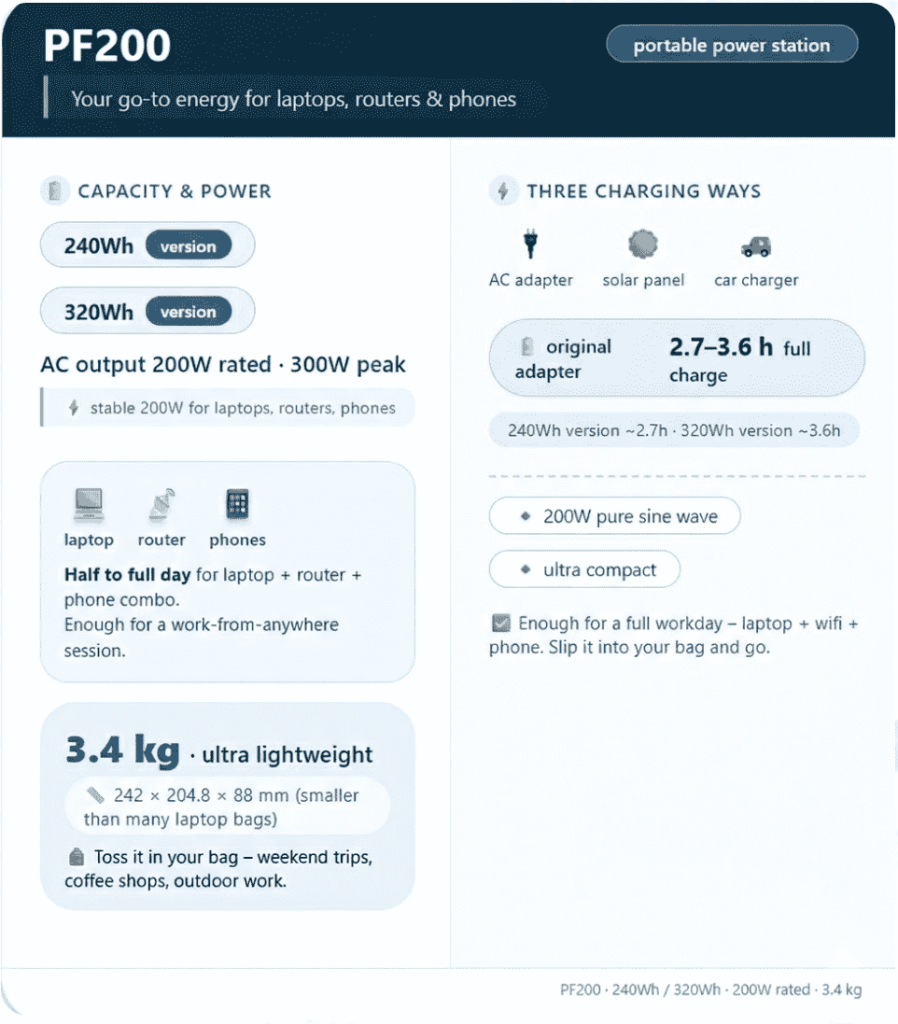
Take our GT200, for example. It weighs about 3.4 kilos–like two big bottles of soda. You can carry it in one hand. Grab it, grab your laptop, set up a table in the yard, and work in the sun. Best of both worlds.
Job Three: It’s Also a Handy Charging Hub
Besides just powering stuff, our power stations have some nice little extras that make daily life easier:
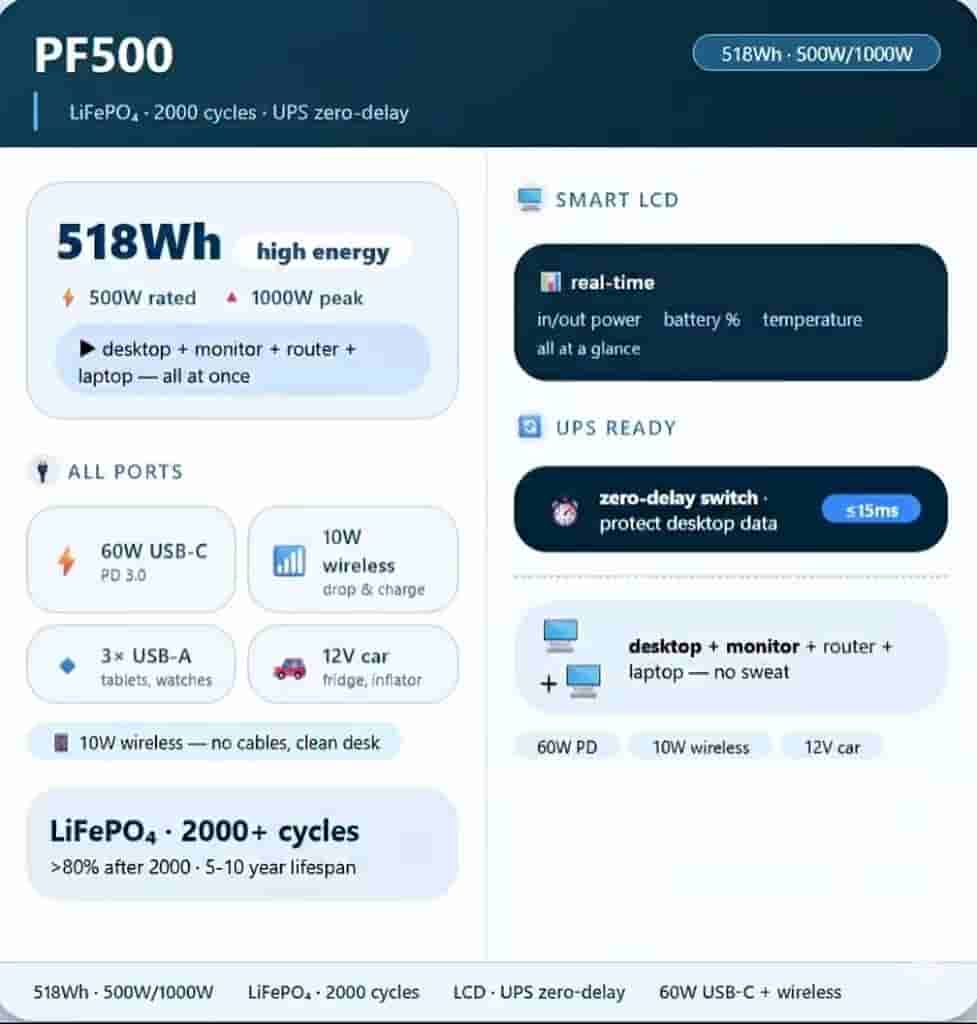
GT500 Wireless Charging: Just set your phone on top. It starts charging. No more messy cables all over your desk. Meetings and work sessions look cleaner.
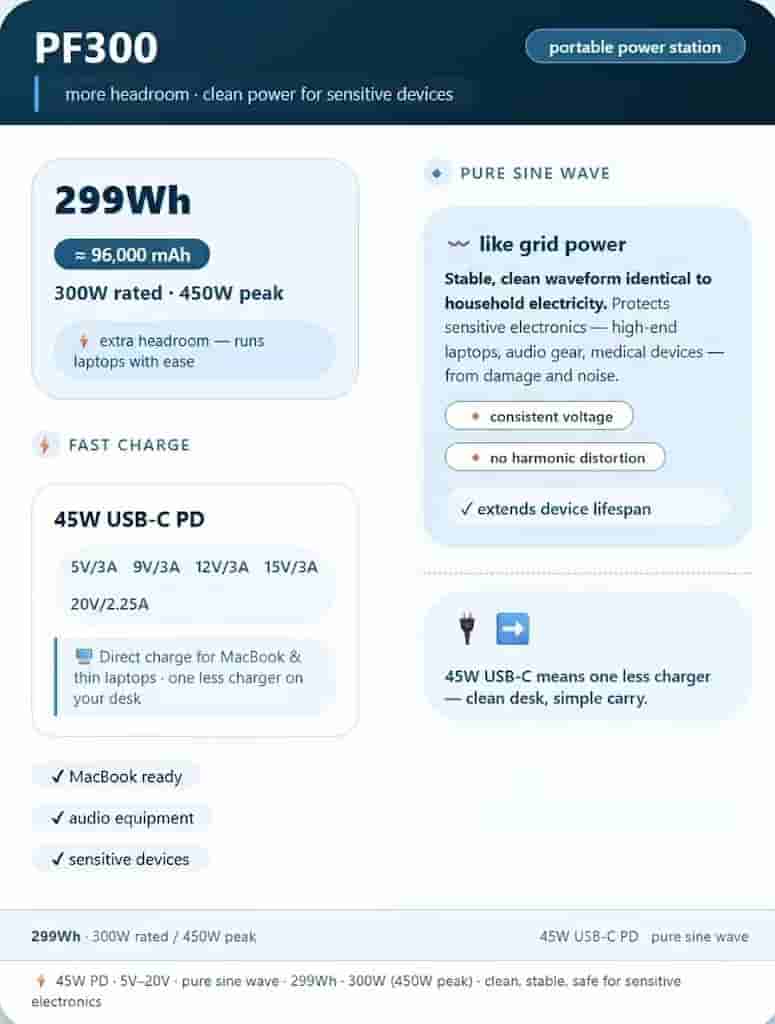
GT200/GT300 Built-in Light:It’s a 3W LED light. If the power cuts out while you’re working at night, it lights up your desk instantly. No fumbling around in the dark.
Part 3: Picking the Right One for Your Home Office
So you get why you need one. Now, which one should you get? Here’s how to choose based on how you work.
Four Things to Look For
1. Enough Capacity:For a home office, aim for 200Wh to 500Wh. That’ll keep your essential stuff running for hours.
2. The Right Ports: You need AC outlets for desktops, monitors, and routers. And you want USB-C fast charging for your laptop and phone.
3. Small and Quiet:It should sit on your desk without taking over. And the fan should be quiet enough that it doesn’t get picked up on calls.
4. A Battery That Lasts:Go for LiFePO4 batteries. They’re super safe and last forever. All our C-series use LFP. After 2000 charge cycles, they still hold over 80% of their original capacity. We’re talking years and years of use.
Option A: Lightweight / On-the-Go Workers: GT200 / GT300
Who these are for:
You mostly use a laptop.
You like to move around–coffee shops, libraries, different spots in the house.
Portability is a big deal for you.
You don’t need to power a power-hungry desktop.
Why they work and what you get:
PF200
PF300
Option B: Heavy-Duty / Desktop Users: GT500
Who this is for:
You run a desktop computer and maybe two monitors.
You want maximum runtime. No battery anxiety.
You want all the features and ports, nothing left out.
Why it works and what you get:
PF500
What You’re Really Buying: Stability and Freedom
Getting a portable power station isn’t just buying a big battery.
Here’s what you’re actually paying for:
Stability:It’s the best way to protect yourself from something you can’t control – the power grid going down. It’s peace of mind that you won’t drop the ball when it matters most.
Confidence:It’s knowing your desktop data is safe. It’s knowing your video call won’t cut out. It’s one less thing to worry about.
Freedom: It’s the ability to work anywhere. Sunlight, fresh air, a change of scenery – you get to choose.
Don’t Let the Next Blackout Interrupt You
We don’t know when the next outage is coming. But you can decide right now that when it does, you won’t be scrambling for candles. You’ll just keep working.
Click the link below to check out the whole [https://piforz.com/product/] lineup. Find the power station that fits your setup. Give your remote career the backup it deserves.